
The Journey to Becoming a Kubestronaut Through the Eyes of an SRE

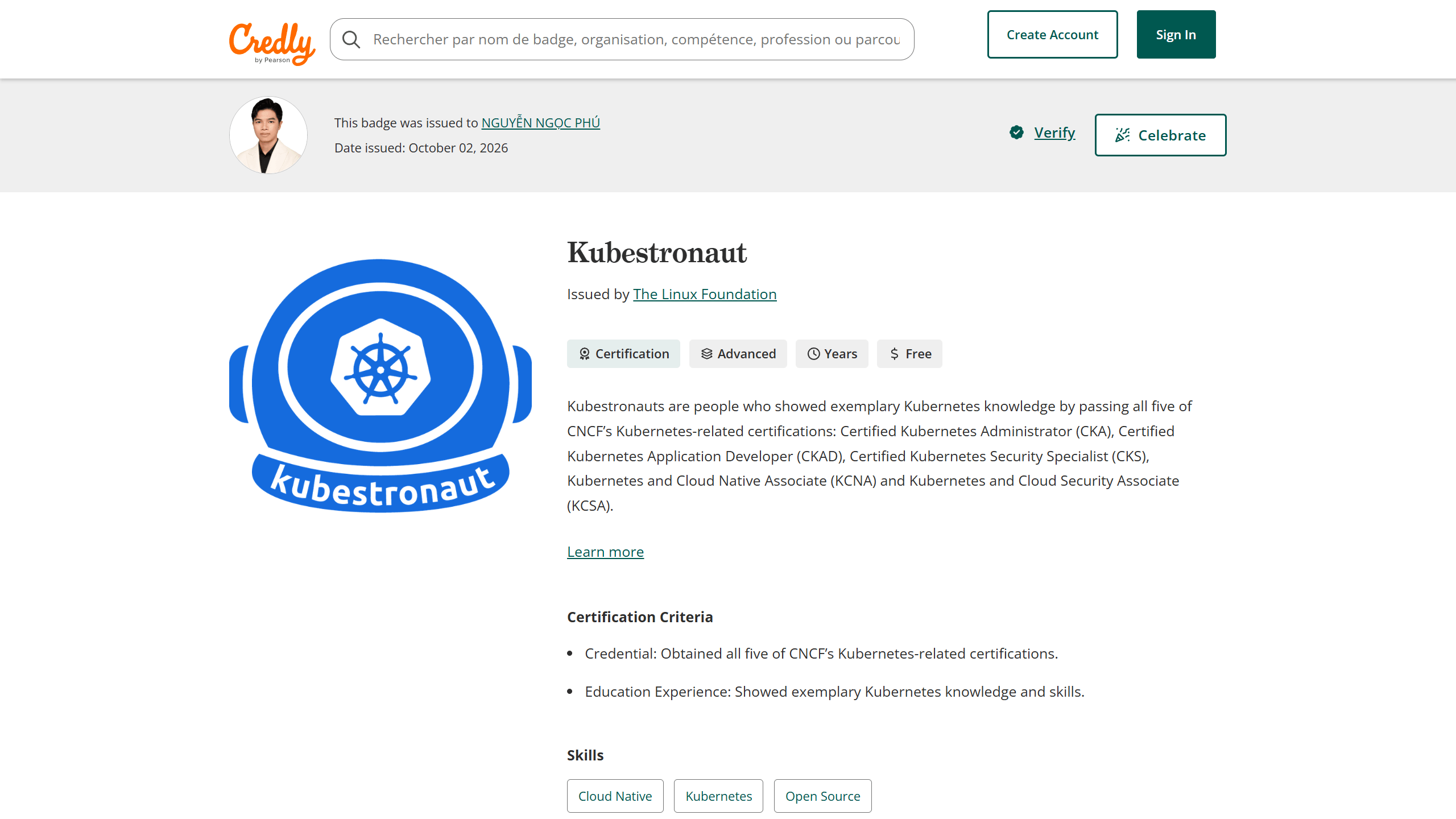
Hi everyone, I’m Nguyễn Ngọc Phú, currently working as a Site Reliability Engineer at Zalopay.
I recently passed all five CNCF Kubernetes certifications and became a Kubestronaut. While working with Kubernetes, I realized that most of my knowledge had come from learning things as I encountered them, which left some gaps and areas where I did not fully understand the fundamentals. So I saw these certification exams as an opportunity to relearn K8s in a more structured way.
I took the CKA a few months ago, then used the September 2 holiday break to prepare for the remaining four certifications: CKS, CKAD, KCNA, and KCSA. Fortunately, I passed all of them.
In this article, I want to share my journey, review each certification, talk about the parts I found difficult, and share a few lessons I picked up along the way. Hopefully, this article will be useful for anyone planning to take Kubernetes certification exams or aiming to become a Kubestronaut.
I have included the learning resources and links throughout the article for anyone who wants to check them out.
Motivation
I’m quite fortunate to work at Zalopay, part of VNG, where the entire system runs on on-premises K8s.
Unlike using managed services such as EKS on AWS or GKE on Google Cloud, running Kubernetes on premises means the team is responsible for everything, from the control plane and etcd to networking and storage.
On top of that, since this is a payment product, the system requires High Availability (HA), near absolute uptime at 99.999%, and strict security. Even a small incident can directly affect user transactions.
Because of this, I’ve had the opportunity to work with K8s at a fairly deep level. When I looked into CNCF certifications, I found that the exam content closely matched my day to day work, from troubleshooting clusters and managing workloads to securing the system.
Overall Roadmap
The order I took the exams was CKA > CKS > CKAD > KCNA > KCSA. Here is a summary of how long I prepared for each certification and the resources I used:
| Certification | Format | Prep Time | Resources | Score |
|---|---|---|---|---|
| CKA | Practical | ~2 months | YouTube (Piyush), KodeKloud, killer.sh | 79/100 |
| CKS | Practical | ~2 weeks | KodeKloud, killer.sh | 73/100 |
| CKAD | Practical | ~1 week | KodeKloud, killer.sh | 100/100 |
| KCNA | Multiple choice | No preparation | — | 95/100 |
| KCSA | Multiple choice | 3 days | KodeKloud | 90/100 |
Overall, my main learning resources came down to just two platforms: KodeKloud and killer.sh. There is no need to overload yourself with too many resources. What matters most is doing enough labs and mock exams to become comfortable with the tasks.
Reviewing 5 Certifications from an SRE’s Perspective
1. CKA (Certified Kubernetes Administrator)
At first, I bought a VPS, split it into three VMs using LXC, and built a K8s cluster with one master and two workers so I could experiment with it. At the same time, I followed Piyush’s YouTube playlist.
After a little over a month, I had a decent grasp of most of the fundamental K8s concepts, but I was still fairly weak at troubleshooting. The problem with practicing troubleshooting is that you have to deliberately create scenarios where the cluster is broken and then fix them yourself, which takes quite a bit of effort and can get exhausting.
That was when I found KodeKloud. What I liked most about the platform was its excellent playground environment, along with a large number of labs and ready-made troubleshooting scenarios. I could focus entirely on solving problems without spending time setting up the environment.
KodeKloud also has an Ultimate Mock Exam series, so there is plenty of material to practice with. After about two weeks of practicing on KodeKloud, I also completed two mock exam sessions on killer.sh. These two sessions are completely free when you register for the certification exam.
Thoughts on Mock Exam Difficulty
- killer.sh: Very difficult. I would say the difficulty is about the same as the real exam.
- KodeKloud: I think it is only about 50% as difficult as the real exam, which makes it good for building speed and getting familiar with the question formats.
My Experience with Questions in the Exam
- Network Policy: This part of the CKA was not difficult. The type of question I got required selecting the NetworkPolicy configuration that matched the requirements and then applying it. The main thing was to read the requirements carefully and understand the rules correctly.
- Migrating from Ingress to Gateway API: This question was not difficult, but it involved quite a few steps and took a long time. I had to create a GatewayClass, Gateway, HTTPRoute, TCPRoute, set up TLS, and route traffic to the correct Service based on the path. If you are not comfortable with the process, it can easily eat up a lot of time.
- Output using custom-columns or JSONPath: A few questions required using
-o custom-columnsor-o jsonpathand writing the results to a file. I think I lost points on these questions because my output did not match the format expected by the exam. My advice is to read the formatting requirements very carefully and check the file contents before moving on. - Helm: This was the most time consuming part for me because I was not very familiar with it and could not remember all the operations, such as searching repositories, overriding values during install or upgrade, or finding which Deployment across all Helm releases was using a specific image. Helm sounds simple, but if you have not practiced it beforehand, it can be surprisingly awkward during the exam.
- Troubleshooting: Troubleshooting was still the hardest part. I got one question where kubelet was broken because the path to the kubelet binary was incorrect. I just had to fix the path and restart kubelet. But there was another question involving an etcd certificate that I could not solve, which was a bit unfortunate.
SRE Perspective
This is the certification that comes closest to actual SRE work, although there are still some differences between the exam environment and real systems that I think are worth sharing:
- The exam environment is different from real systems: Most clusters in the exam are built with kubeadm, and the control plane components run as static pods. In the K8s clusters I manage in practice, those components run as systemd services on physical machines. So debugging or upgrading a real cluster is not as simple as running
kubectl logsorcrictl logs. You need to understand how each component is deployed, where its logs are located, and how it is configured. - Helm is more common than Kustomize: The curriculum covers Kustomize as well, but in my experience Helm charts are still used much more often in practice.
- Scheduling knowledge is used every day: Taints, tolerations, node labels, and node selectors are extremely important and used frequently in production, for example to place workloads on the appropriate groups of nodes.
- A systematic troubleshooting mindset: Situations such as a node becoming NotReady, kubelet failing to start, an expired certificate, or a pod getting stuck in Pending can happen at any time. After preparing for the CKA, I learned where to start and which components to check first instead of poking around blindly like I used to.
What I liked most about the CKA, though, was getting the chance to relearn all the fundamental concepts behind security and networking. I came to understand why security evolved from symmetric keys to asymmetric keys and then certificates, and why K8s uses an overlay network.
The same goes for the evolution of K8s itself: starting with Docker, then moving away from Docker toward the common CRI standard, or the fact that K8s does not include a built-in networking solution and instead integrates with CNI implementations such as Calico or Cilium. These are things I might never have paid much attention to if I had only focused on day to day operations.
2. CKS (Certified Kubernetes Security Specialist)
I spent about two weeks preparing, still using the combination of KodeKloud and killer.sh. Since I was studying during a holiday, I could dedicate all of my time to it, which helped me finish fairly quickly.
But I have to admit that when I first started studying for the CKS, I felt pretty overwhelmed by how much material there was and how broad it was. It covered everything from AppArmor and seccomp at the operating system level, audit policies, admission controllers, OPA Gatekeeper, image scanning, generating SBOMs, sandbox runtimes such as gVisor, and especially Falco. I had barely touched many of these things in my day to day work.
My study approach was fairly intense. I watched roughly 200 KodeKloud videos in sequence and completed every lab, repeating them until I got a perfect score. For the CKS specifically, KodeKloud also has a CKS Challenges series that I found very useful because the challenges describe scenarios that are about as close to real situations as you can get.
On my first attempts, I usually scored around 50 to 70%, but I always set a rule for myself that I had to reach 100% before moving on to the next challenge. I did exactly the same thing with the Ultimate Mock Exam series. I repeated each exam until I got 100% before moving to the next one. I followed the same approach with killer.sh and kept going until I reached 100% on the session before stopping.
This way of studying takes a lot of energy, but it helped me understand each type of task much more deeply. To get 100%, you cannot settle for an answer that is just “close enough.” You have to understand exactly why you were wrong.
Thoughts on Mock Exam Difficulty
- KodeKloud: For the CKS, I think the difficulty is around 70% of the real exam.
- killer.sh: Slightly harder than KodeKloud, around 80% of the real exam.
My Experience with Questions in the Exam
- SBOM and supply chain: I found this part fairly easy. You mainly need to run
bom generateagainst an image to create an SBOM, or usekubesec scanto check a manifest file. One thing to remember is to run the scan again after fixing the issues to make sure the result is actually PASS. - Hardening control plane components: This mainly involved setting permissions on configuration files using
chmodandchownand possibly creating an additional Linux user if required by the question, disabling profiling, disabling anonymous access, changing kubelet’s authorization mode to Webhook, and so on. None of these tasks are particularly difficult, but a single question can contain many small requirements, so you need to read carefully because it is very easy to miss one. - Audit policy: This was not difficult either, but the question was quite long. You need to read carefully and assign the correct policy level to each resource type. Remember to mount volumes for both the policy file and the log directory in the kube-apiserver manifest, then
catthe log file afterward to verify that audit logs are being written correctly. - Network Policy: In addition to the standard Kubernetes NetworkPolicy, the exam also required writing a CiliumNetworkPolicy. Cilium works a little differently in some areas, such as using
endpointSelectorinstead ofpodSelector, the way you define default deny egress, or blocking and allowing IP ranges withtoCIDR. There was also a section on securing pod to pod communication with Istio by applying PeerAuthentication with mTLS across the namespace. - Docker: The CKS does not only test Kubernetes. It also tests Docker knowledge, such as hardening Docker daemon configuration, for example by disabling the TCP socket, reviewing Dockerfiles for security issues such as running as root, hard coding secrets, copying
.envfiles or secret files into the image, building and pushing images to an internal registry, or usingdocker saveto export an image to a.tarfile. - Admission Controller and webhook: The question I got involved configuring ImagePolicyWebhook so that kube-apiserver would send image information to a webhook outside the cluster for validation before allowing a pod to be created. There were quite a few things to set up: enabling the admission plugin, writing the AdmissionConfiguration file, creating a kubeconfig that pointed to the webhook, configuring kube-apiserver so it could connect to the webhook, for example through an ExternalName Service, and mounting the configuration files into kube-apiserver. One wrong step can prevent kube-apiserver from starting, so remember to back up the manifest before making changes.
- Upgrading the cluster: I did not think this would appear, but it did. The question required upgrading a worker node to the same version as the control plane. Practice this several times so that you remember the upgrade commands, because looking everything up in the documentation during the exam can take quite a lot of time.
- Falco: This was the hardest part for me. The question required writing a Falco rule to detect unusual container behavior and write the result to a file. During the exam, I looked through the Falco documentation and wrote the rule based on it, but for some reason it still did not work. To write Falco rules properly, you need a solid Linux foundation and a good understanding of system calls and the fields supported by Falco, so this is an area that needs plenty of practice before the exam.
SRE Perspective
In practice, when applying security to Kubernetes in production, most of what I do revolves around namespace isolation, NetworkPolicy, RBAC, and restricting container or pod privileges, such as disabling privileged mode, making the root filesystem read only, preventing workloads from running as root, or dropping all capabilities.
These are exactly the kinds of things covered in the CKS. Deeper topics such as seccomp profiles, AppArmor, or writing Falco rules to detect containers opening a shell or reading sensitive files such as /etc/passwd are things I have seen much less attention given to in practice. After taking the certification, I understood more clearly what problems these security layers are designed to solve, which means I can now propose additional security improvements for the production K8s clusters I manage.
3. CKAD (Certified Kubernetes Application Developer)
Once I had completed the CKA and CKS, the CKAD became much easier. More than 70% of the CKAD content overlaps with the CKA. The remaining topics are mainly StatefulSet, Job/CronJob, multi-container pods, probes, and deployment strategies such as rolling update, blue green, and canary.
So I spent only about a week reviewing the remaining topics and working through the mock exams on KodeKloud and killer.sh. KodeKloud has as many as eight mock exams, so there is plenty to practice with. I ended up scoring 100/100, the maximum score for the exam.
Thoughts on mock exam difficulty: I think KodeKloud and killer.sh are fairly similar in difficulty, and both are roughly 90% as difficult as the real exam.
My Experience with Questions in the Exam
- Canary deployment: The main thing here is to make sure the Service label selector matches pods from both Deployments, then scale the replica count of each Deployment to achieve the traffic ratio required by the question.
- Job and CronJob: You need to remember the correct schedule format, which consists of five fields represented by five
*characters: minute, hour, day of month, month, and day of week. To verify that a CronJob I had just created was correct, I created a test Job from that CronJob and checked the pod logs. If the pod reached Completed, I considered it done. CronJob also has fields worth paying attention to, such assuccessfulJobsHistoryLimitandfailedJobsHistoryLimit, while Job hascompletions,parallelism, andbackoffLimit. - Multi-container pod: For containers using the busybox image, remember to set a long running command such as
sleep 3600. Otherwise, the container will start and immediately exit because there is no process left running. The pod will then restart repeatedly and end up in CrashLoopBackOff. Read the question carefully and write the command exactly as required. Most of them are simple, such asecho,tail -f, or a loop likesh -c 'while true; do ...; sleep 10; done'. - Troubleshooting Ingress: The type of question I got involved an Ingress that had already been configured, but
curldid not work. In this situation, check whether the ingress controller pod is running. If it is not, read the logs to find the cause. In my case, the default backend configuration pointed to a Service that did not exist. Creating that Service or removing the default backend configuration was enough to fix it. - Custom Resource: This part was not difficult either. You just need to understand the existing CRD, including its fields, the data type of each field, and the minimum or maximum values for integer fields if any, then create a Custom Resource that follows that definition.
SRE Perspective
I think CKAD is not just for SREs. It is useful for any developer.
For example, in production, after an application is deployed through CI/CD, if developers want to tune their workload by scaling it up or down, adjusting resource requests and limits, or creating an Ingress hostname for their service, they can update the Helm chart themselves and create a PR for the SRE team to review and merge. To do that, developers need a certain level of understanding of Kubernetes and its resource objects, and CKAD provides a very suitable learning path for that.
I also want to share a bit more about Operators, which are a very interesting topic covered in CKAD and CKA but do not appear on the exam. In practice, Operators are widely used in production Kubernetes environments to automate the operation of systems such as Redis, Kafka, MySQL, or Ceph.
Take MySQL as an example. Because it is a stateful workload, running a database on Kubernetes is not just a matter of containerizing it and creating a Deployment. You also have to handle replication, failover when the master goes down, backups, rolling updates in the correct order, and more. In the past, these tasks were often handled by scripts outside the cluster, and Kubernetes knew nothing about them. It only knew whether a pod was running, not whether replication was healthy or the master had just switched roles. Operators were created to solve this problem.
At its core, Operator = CRD + custom controller. It continuously watches custom resources and reconciles the actual state with the desired state. Put simply, an Operator is like an SRE written in code, running 24/7 inside the cluster and understanding exactly how that application should be operated.
4. KCNA (Kubernetes and Cloud Native Associate) and KCSA (Kubernetes and Cloud Native Security Associate)
These are both multiple choice certifications focused more on theory, so they are much lighter than the three practical certifications above.
For KCNA, to be honest, I did not prepare at all and simply went straight into the exam. After CKA, CKS, and CKAD, most of the material had already been covered. Beyond Kubernetes, the exam also asks about the cloud native ecosystem, such as observability with Prometheus and Grafana, concepts like SLA, SLO, and SLI, or GitOps with Argo CD. For me, though, these were all fairly familiar topics from my day to day work.
I finished the exam in about 20 minutes.
For KCSA, I still needed to do a little extra preparation even after completing the CKS. The exam is theory heavy and covers a fairly broad range of topics, from the 4C model of Cloud, Cluster, Container, and Code, to securing cluster components, threat models, security tools such as Trivy, Falco, and Istio, as well as compliance frameworks such as PCI DSS and ISO.
I studied on KodeKloud for about three days, then took the exam and finished it in around 30 minutes.
SRE Perspective
Even though these are just two multiple choice certifications, preparing for KCNA and KCSA introduced me to quite a few things in the Kubernetes ecosystem.
For example, I learned how a new feature is introduced through a KEP, or Kubernetes Enhancement Proposal, and then developed by SIGs, or Special Interest Groups, responsible for areas such as Networking, Storage, and Security. I also learned more about open standards such as OCI, CRI, CNI, and CSI, which allow Kubernetes to switch runtimes, networking implementations, and storage systems more flexibly.
Then there are compliance standards and why different standards are suitable for different industries: GDPR for personal data, HIPAA for healthcare, PCI DSS for payments, and NIST and CIS Benchmark for system hardening. I also found MITRE ATT&CK quite interesting. It provides a collection of real attack tactics and techniques, along with a broader picture of security tools across different stages, from Develop and Distribute to Deploy and Runtime.
Sometimes it takes studying the theory and reflecting on it afterward to realize that many of the things we use every day have a reason and context behind them.
5. Thank You
To sum things up, after applying the voucher and receiving the refund from the DevOps VietNam x Linux Foundation Education: đặc quyền kép program, I spent around VND 26 million on the five certifications, plus roughly VND 2 million on KodeKloud courses.
That puts the total cost of my journey to becoming a Kubestronaut at around VND 28 million. Without the voucher and refund, the amount would definitely have been much higher, possibly more than five times as much. So I’m genuinely grateful to the DevOps VietNam team for creating this opportunity for Vietnamese engineers like me.
I hope this article is helpful for anyone planning to take these exams. If you have any questions, feel free to leave a comment below and I’ll do my best to answer them!