
How to Claim $250 in Docker Cloud Credit for Running AI Agents


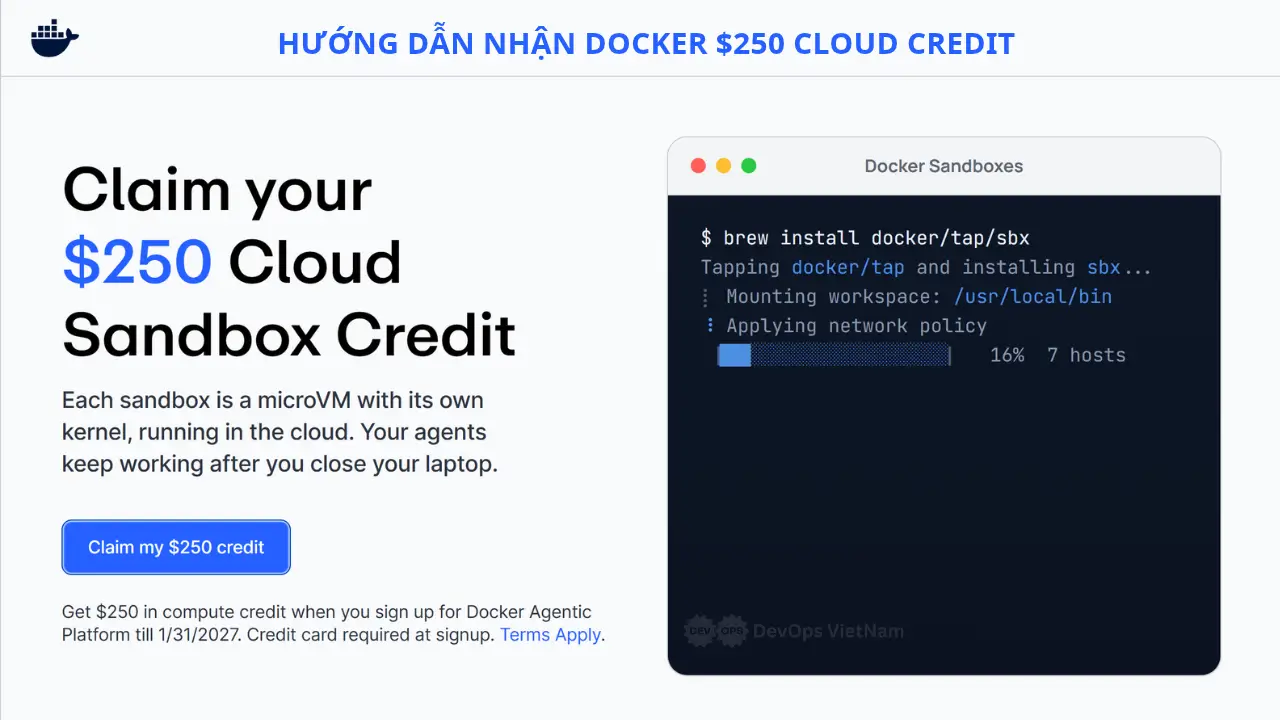
Docker has officially extended its $250 Cloud Sandbox Credit promotion until January 31, 2027. Users can use this credit to run AI Agents on Docker’s cloud infrastructure without having to keep their personal computer running continuously.
This promotion is available to new users signing up for the Docker Agentic Platform, and is especially relevant for DevOps Engineers, Sysadmins, Developers, and anyone building or experimenting with AI coding agents.
1. Docker $250 Credit Promotion Details
According to Docker’s official announcement:
- Promotion value: $250 in Cloud Compute Credit.
- Registration deadline: January 31, 2027, at 11:59 PM Pacific Time.
- Eligibility: First-time Docker Agentic Platform users.
- Credit validity: 6 months from the date the credit is issued.
- Requirement: A valid payment card must be added.
- Limit: One credit claim per user and account.
The $250 credit can be used to pay for CPU and RAM resources consumed by Docker Cloud Sandboxes. AI Agents run inside isolated microVM environments and can continue working even after you close the browser or turn off your laptop, as long as the sandbox has not been stopped or reached its configured runtime limit.
Note: The credit only applies to cloud compute. It does not cover API fees from OpenAI, Anthropic, Gemini, or subscriptions to other AI services.
2. How to Claim the $250 Docker Credit
Step 1: Open the Docker Promotion Page
Go to the official promotion page: https://www.docker.com/c/sbx-promo/
Click Claim my $250 credit to continue to the Docker Agentic Platform.
Step 2: Sign Up for Docker Agentic Platform
Sign in with your personal Docker account, or create a new account if you do not already have one.
If you have not activated Docker Agentic Platform before, you will be redirected to Docker Billing to sign up for the Pay-as-you-go plan.
You will need to:
- Confirm your account information.
- Select the Docker Agentic Platform plan.
- Add a valid payment card.
- Complete the service activation.
Note: Existing Docker Account users may still be eligible as long as they have never signed up for Docker Agentic Platform before. The promotion cannot be claimed multiple times by the same user or account.
Step 3: Check Your $250 Credit
Once activation is complete, go to: https://agentic-platform.docker.com/
Open the account menu and select Usage & billing.
Check the promotional credit section to confirm that the $250 credit has been added.
If you do not see the credit, you should verify the promotion requirements again or contact Docker Support before running any workload that may incur significant charges.
Step 4: Create Your First Cloud Sandbox
In the Docker Agentic Platform Console:
- Select + New sandbox.
- Choose the kit you want to use, for example Claude Code to run an AI coding agent.
- Add your Anthropic API key under Secrets as instructed.
- Choose an appropriate CPU and RAM configuration.
- Under Run for, set the runtime, for example 1 hour.
- Under When the time is up, select Stop to prevent the sandbox from continuing to consume credit.
- Click Run to start the sandbox.
Once the sandbox is ready, the agent terminal will appear directly in your browser.
You can try giving the agent a task such as:
Clone repository https://github.com/docker/welcome-to-docker, analyze the source code structure, and explain the Dockerfile. Do not modify any files.
The agent will perform the work inside the cloud sandbox environment.
If you only want to test the sandbox and do not have an AI API key yet, you can choose the Shell kit and try running terminal commands without using an AI model.
3. How Long Can $250 in Docker Credit Last?
Docker charges based on how long a sandbox remains active and the amount of resources allocated to it.
Docker charges based on sandbox runtime and the allocated compute resources:
| Configuration | Cost/hour | Estimated runtime with $250 |
|---|---|---|
| Micro: 1 vCPU, 2 GB RAM | $0.070 | ~3,570 hours |
| Small: 2 vCPU, 4 GB RAM | $0.140 | ~1,785 hours |
| Medium: 4 vCPU, 8 GB RAM | $0.280 | ~890 hours |
| Large: 8 vCPU, 16 GB RAM | $0.560 | ~445 hours |
| XL: 16 vCPU, 32 GB RAM | $1.118 | ~225 hours |
These are estimated runtimes if the entire $250 is spent on a single compute configuration, based on Docker pricing published in September 2026.
For example, the Small configuration with 2 vCPU and 4GB RAM costs $0.14 per hour and can be a reasonable starting point for lightweight workloads. You should choose the configuration based on your actual needs.
4. Important Notes to Avoid Unexpected Charges
Before using the service, keep the following points in mind:
- The credit is not cash: It cannot be withdrawn or transferred to another account.
- The credit expires after 6 months: Any unused balance will not be carried over after the expiration date.
- Idle sandboxes are still billed: Provisioning time, waiting time, and idle runtime all consume credit.
- Usage beyond $250 will be charged: Any compute cost beyond the remaining credit balance will be charged to the registered payment card.
- AI API fees are billed separately: The $250 credit does not cover Claude, GPT, or other third-party model tokens.
- Closing the browser does not stop the sandbox: You need to actively Pause, Stop it using the timer, or Delete it when it is no longer needed.
To make your credit last longer, check Usage & billing regularly, configure automatic stop times, and delete sandboxes you no longer need.
5. Official Link to Claim the Docker $250 Credit
Claim your $250 Docker Cloud Sandbox Credit here: https://www.docker.com/c/sbx-promo/
Registration deadline: January 31, 2027. This is a noteworthy promotion for anyone exploring AI Agents, AI-assisted development, and DevOps Automation. If you need to run agents in the cloud for development, testing, or long-running automation tasks, you can use the $250 credit to try the service before deciding whether it makes sense for long-term use.
Docker may modify or end the promotion according to the applicable terms.