
Dockerfile Contest 2025: Is This the Smallest Docker Image?

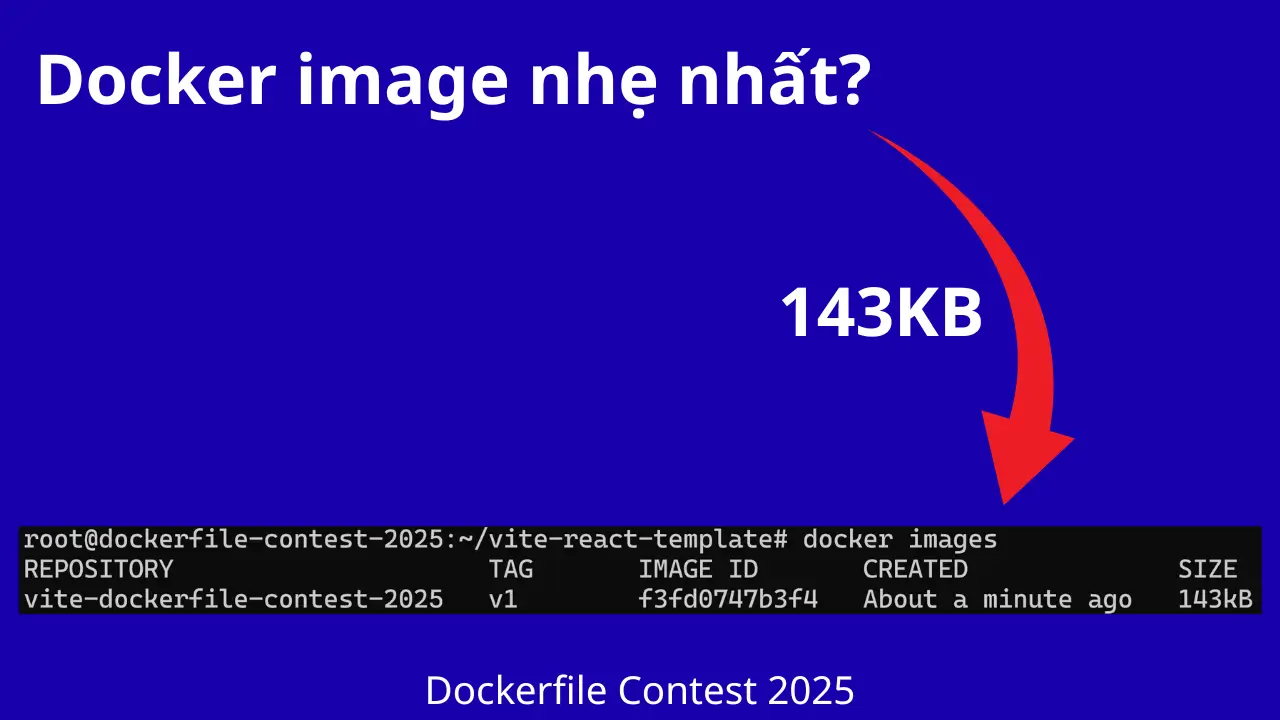
This is going to be a long and detailed article about how I wrote a Dockerfile that builds a Docker image of just 143KB. I’ll explain everything carefully, so if you’re willing to read through it, hopefully you’ll come away understanding quite a few new things. At least that’s the plan :))
Dockerfile Contest 2025 really made some waves. That day, I saw thousands of people watching the webinar live, and later the admins shared numbers showing millions of views and tens of thousands of interactions around the event. What stood out to me was that one of the experts won with a Dockerfile that produced a Docker image of just 218KB while still being able to serve a working website.
I’m definitely not here to rain on anyone’s parade. In fact, it was thanks to that expert that I realized there are some almost unbelievable ways to optimize static websites down to extremely small sizes. So the winner absolutely deserved it. If anyone disagrees, well, why didn’t you join the contest? I did join, by the way. I just failed :)))
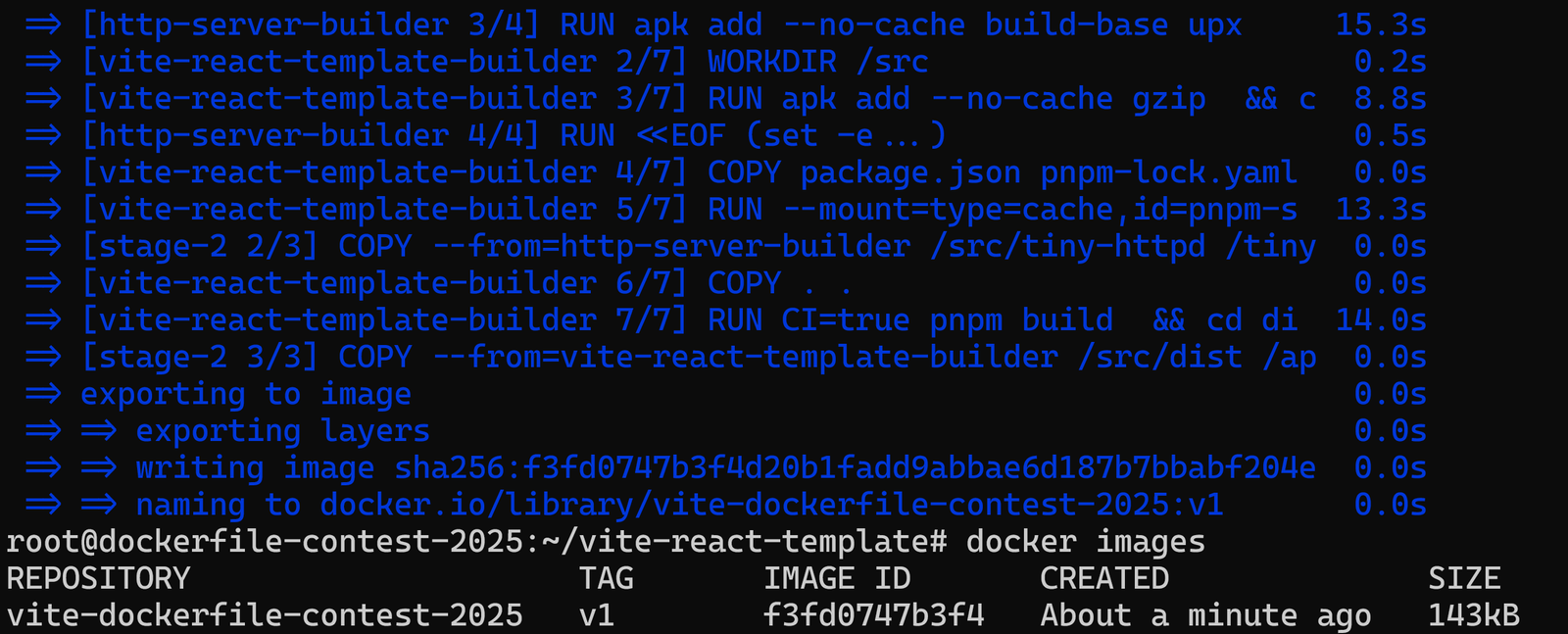
So when the TOP Dockerfiles were published on Dockerfile Contest 2025, I started digging into them immediately. And here’s the result: a Docker image with a final size of 143KB, while still meeting the requirement of not modifying the source code.
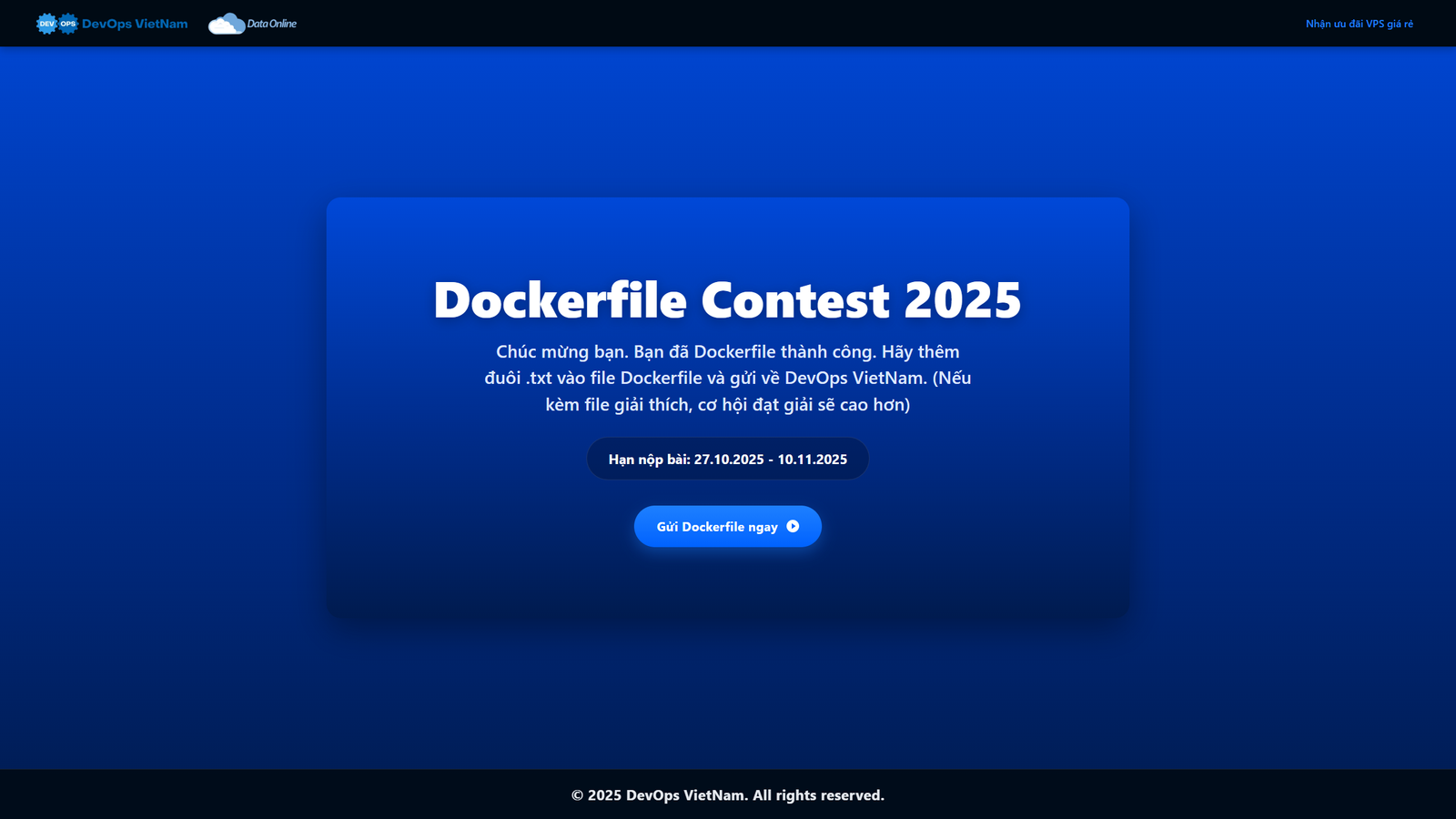
And of course, the website still works perfectly. Otherwise, I wouldn’t dare write this article.
Once I finished it, I felt like sharing the whole thing. Who knows, maybe future activities like this will become even bigger and the community will benefit even more. Honestly, this event was great. Some people got to learn real experience for free, some won prizes, some got recognized, and some simply enjoyed sharing what they knew. I didn’t win anything either, and I still wanted to share :)))
Enough rambling. Let’s get into it. According to the admins, they wanted the contest to be accessible to the community and interesting even for people with less experience, so the project itself was intentionally quite template based. If you want to understand why it can be optimized this aggressively, you can download the source code and try it yourself here: vite-react-template.zip
Analyzing the Winning Dockerfile
First, as I mentioned, I had to analyze the winning Dockerfile to understand it more deeply and explore the ideas behind it.
When I looked at the winning Dockerfile, the first thing that stood out was how well the author understood the problem. They used node:alpine for the build stage, lipanski/docker-static-website to serve the static site, added pre-compression, used a minimal health check, and most importantly, placed every step in the builder stage carefully so Docker caching could be used effectively.
To be honest, if I hadn’t seen this Dockerfile, I probably wouldn’t have thought about pushing the optimization this far. It’s one of those examples where you can immediately tell the author really understands how to build a Vite based static site properly.
What Did I Learn from the Winning Dockerfile?
There were three things I found especially valuable:
- A well separated build stage and runtime stage: Build with Node Alpine, which is lightweight while still providing the full toolchain. Then switch to an extremely small static server for runtime.
- Pre-compress all output with
gzip -9: This is genuinely valuable. Vite produces quite a lot of.js/.cssfiles, andgzip -9can reduce their size significantly. - A sensible base image for static websites:
lipanski/docker-static-websiteis stripped down as far as possible. It provides a runtime environment of less than 100KB while still running reliably.
Those three things make the winning Dockerfile a very solid configuration that is hard to criticize.
Building a Docker Image of Just 143KB
But I still had one question:
“What if I remove the base image entirely, build the server myself, and run everything completely from scratch? How small could it get?”
The lipanski/docker-static-website base image is already extremely lightweight, but it is still a prebuilt image. I wanted to see what would happen if I wrote my own HTTP server in C, compiled it fully statically, stripped it, compressed it aggressively with UPX, and then ran everything on FROM scratch.
Could that structure go even smaller?
That’s why I chose this approach:
- No base image.
- Runtime completely from scratch.
- A single binary to serve files.
- All Vite static assets compressed while keeping their original filenames, with the server returning the
Content-Encoding: gzipheader.
Why Write an HTTP Server in C?
This is the main reason the image became so small that even I was surprised.
BusyBox httpd is already tiny. But what if I build an HTTP server that:
- only supports GET
- does not support directory listing
- does not support range requests
- does not handle multithreading
- does not support a full set of MIME types
- has no runtime flags
- only reads gzip files and pushes them directly to the socket
Then the final binary can be reduced to just a few dozen KB after:
- using
gcc -Osto optimize for size - using
strip --strip-allto remove symbols - using
upx --lzmato compress the binary as much as possible
This is basically a zero dependency approach.
And yes, it really does get smaller.
Trimming Down dist
The way I processed dist in my Dockerfile was completely inspired by the original author:
- Remove sourcemaps
- Remove images, fonts, and media files if they are not needed at runtime
- Remove
manifest.jsonand favicon - Keep only
index.htmland the.jsbundle - gzip every file in place using
gzip -cso the filename does not get renamed to.gz
I only changed one thing: my server always sends Content-Encoding: gzip, so I only need to keep the compressed files. There is no need to keep the raw versions as well, which saves a decent amount of space.
The Biggest Difference: Runtime from Scratch
In my Dockerfile, the runtime contains only:
- One C binary of a few dozen KB
- One gzip compressed
distdirectory - No shell
- No OS
- No dynamically linked libc because everything is fully static
- No TLS
- No dependency other than the kernel
- As a result, the image is reduced about as far as it can reasonably go
Dockerfile That Builds a Docker Image of Just 143KB
Here is the complete Dockerfile I wrote:
# syntax=docker/dockerfile:1.7

############################
# Stage 1: build tiny static HTTP server
############################
FROM alpine:3.22.2 AS http-server-builder

WORKDIR /src

RUN apk add --no-cache build-base upx

# Write and build a C HTTP server that serves files from ./ on port 3000
RUN <<EOF
set -e
cat > tiny_httpd.c <<'SRC'
#include <arpa/inet.h>
#include <errno.h>
#include <fcntl.h>
#include <netinet/in.h>
#include <signal.h>
#include <stdio.h>
#include <stdlib.h>
#include <string.h>
#include <sys/socket.h>
#include <sys/stat.h>
#include <sys/types.h>
#include <unistd.h>

static void die(const char *msg) {
    perror(msg);
    exit(1);
}

static const char *guess_type(const char *path) {
    size_t len = strlen(path);
    if (len >= 5 && strcmp(path + len - 5, ".html") == 0) return "text/html; charset=utf-8";
    if (len >= 4 && strcmp(path + len - 4, ".css") == 0) return "text/css; charset=utf-8";
    if (len >= 3 && strcmp(path + len - 3, ".js") == 0) return "application/javascript; charset=utf-8";
    if (len >= 5 && strcmp(path + len - 5, ".json") == 0) return "application/json; charset=utf-8";
    if (len >= 4 && strcmp(path + len - 4, ".svg") == 0) return "image/svg+xml";
    if (len >= 4 && strcmp(path + len - 4, ".txt") == 0) return "text/plain; charset=utf-8";
    return "application/octet-stream";
}

static void send_simple(int client, int code, const char *reason, const char *body) {
    char buf[512];
    size_t body_len = strlen(body);
    int n = snprintf(buf, sizeof(buf),
                     "HTTP/1.1 %d %srn"
                     "Content-Type: text/plain; charset=utf-8rn"
                     "Content-Length: %zurn"
                     "Connection: closern"
                     "rn"
                     "%s",
                     code, reason, body_len, body);
    send(client, buf, n, 0);
}

static void handle_client(int client) {
    char req[2048];
    ssize_t r = read(client, req, sizeof(req) - 1);
    if (r <= 0) {
        close(client);
        return;
    }
    req[r] = '';

    if (strncmp(req, "GET ", 4) != 0) {
        send_simple(client, 405, "Method Not Allowed", "Only GET supportedn");
        close(client);
        return;
    }

    char *path = req + 4;
    char *space = strchr(path, ' ');
    if (!space) {
        send_simple(client, 400, "Bad Request", "Malformed request linen");
        close(client);
        return;
    }
    *space = '';

    if (strstr(path, "..")) {
        send_simple(client, 400, "Bad Request", "Invalid pathn");
        close(client);
        return;
    }

    char full[1024];
    if (strcmp(path, "/") == 0) {
        snprintf(full, sizeof(full), "./index.html");
    } else {
        snprintf(full, sizeof(full), ".%s", path);
    }

    int fd = open(full, O_RDONLY);
    if (fd < 0) {
        send_simple(client, 404, "Not Found", "Not foundn");
        close(client);
        return;
    }

    struct stat st;
    if (fstat(fd, &st) < 0 || !S_ISREG(st.st_mode)) {
        close(fd);
        send_simple(client, 404, "Not Found", "Not foundn");
        close(client);
        return;
    }

    const char *ctype = guess_type(full);

    char header[512];
    int n = snprintf(header, sizeof(header),
                     "HTTP/1.1 200 OKrn"
                     "Content-Type: %srn"
                     "Content-Length: %ldrn"
                     "Content-Encoding: gziprn"
                     "Connection: closern"
                     "rn",
                     ctype, (long)st.st_size);
    send(client, header, n, 0);

    char buf[4096];
    ssize_t nr;
    while ((nr = read(fd, buf, sizeof(buf))) > 0) {
        ssize_t off = 0;
        while (off < nr) {
            ssize_t nw = send(client, buf + off, nr - off, 0);
            if (nw <= 0) break;
            off += nw;
        }
    }

    close(fd);
    close(client);
}

int main(void) {
    signal(SIGPIPE, SIG_IGN);

    int s = socket(AF_INET, SOCK_STREAM, 0);
    if (s < 0) die("socket");

    int opt = 1;
    setsockopt(s, SOL_SOCKET, SO_REUSEADDR, &opt, sizeof(opt));

    struct sockaddr_in addr;
    memset(&addr, 0, sizeof(addr));
    addr.sin_family = AF_INET;
    addr.sin_addr.s_addr = htonl(INADDR_ANY);
    addr.sin_port = htons(3000);

    if (bind(s, (struct sockaddr *)&addr, sizeof(addr)) < 0) die("bind");
    if (listen(s, 16) < 0) die("listen");

    for (;;) {
        int client = accept(s, NULL, NULL);
        if (client < 0) continue;
        handle_client(client);
    }
}
SRC

gcc -Os -static -fdata-sections -ffunction-sections -Wl,--gc-sections tiny_httpd.c -o tiny-httpd
strip --strip-all tiny-httpd
upx --best --lzma tiny-httpd || true
EOF

############################
# Stage 2: build Vite React, trim dist, gzip in place
############################
FROM node:22.21.1-alpine3.21 AS vite-react-template-builder

WORKDIR /src

RUN apk add --no-cache gzip
 && corepack enable
 && corepack prepare pnpm@latest --activate

COPY package.json pnpm-lock.yaml ./

RUN --mount=type=cache,id=pnpm-store,target=/pnpm/store
    pnpm install --frozen-lockfile

COPY . .

RUN CI=true pnpm build
 && cd dist
 && find . -name "*.map" -delete
 && find . -type f (
      -name "*.png"  -o
      -name "*.jpg"  -o
      -name "*.jpeg" -o
      -name "*.gif"  -o
      -name "*.webp" -o
      -name "*.ico"  -o
      -name "*.avif" -o
      -name "*.bmp"  -o
      -name "*.mp4"  -o
      -name "*.webm" -o
      -name "*.mp3"  -o
      -name "*.ogg"  -o
      -name "*.wav"  -o
      -name "*.woff" -o
      -name "*.woff2" -o
      -name "*.ttf"  -o
      -name "*.eot"  -o
      -name "*.otf"
    ) -delete
 && find . -type f -name "LICENSE*" -delete
 && rm -f manifest*.json robots.txt favicon.* || true
 && for f in $(find . -type f); do
      gzip -9c "$f" > "$f.gz" && mv "$f.gz" "$f";
    done

############################
# Stage 3: final image from scratch
############################
FROM scratch

WORKDIR /app/dist

COPY --from=http-server-builder /src/tiny-httpd /tiny-httpd
COPY --from=vite-react-template-builder /src/dist /app/dist

ENTRYPOINT ["/tiny-httpd"]
Detailed Explanation
Below is a detailed breakdown of each stage and every step I used to build this Dockerfile. Feel free to go through it carefully. I’d also like to thank the friend in the chat who openly demonstrated and shared some very valuable suggestions.
Stage 1: Build an Extremely Small HTTP Server in C
FROM alpine:3.22.2 AS http-server-builderI chose Alpine because:
- It provides the full toolchain I need, including gcc and musl-dev
- Its libraries are lightweight
- It is very suitable for building static binaries
Then I install the compiler and UPX:
RUN apk add --no-cache build-base upxWhy Build the HTTP Server Myself?
Because all the existing servers I looked at, including BusyBox httpd, nginx, caddy, lighttpd, and even tiny HTTP servers available online:
- Have features that are unnecessary for a minimal static website
- Pull in dependencies
- Are all larger than the absolute minimum I wanted to reach
Building the server myself lets me:
- Strip everything down to the bare minimum: only GET, no HEAD, no range requests
- Serve gzip files without keeping the original files
- Avoid runtime libraries
- Avoid a shell
- Avoid glibc because the binary is statically compiled against musl
Embedding the C Code Directly in the Dockerfile
This is the important part:
RUN <<EOF
set -e
cat > tiny_httpd.c <<'SRC'
    ... full C source code ...
SRC

gcc -Os -static -fdata-sections -ffunction-sections -Wl,--gc-sections tiny_httpd.c -o tiny-httpd
strip --strip-all tiny-httpd
upx --best --lzma tiny-httpd || true
EOF
Why Put the C Code Directly in the Dockerfile?
- No need to create another file in the repository.
- Easy to keep inline, easy to build, easy to remove.
- The Dockerfile can generate the binary by itself without relying on an external file.
Compiler Optimizations
-Os: optimize for size-static: compile 100% statically, so the final layer does not need a runtime libc--gc-sections: remove unused functionsstrip: remove symbolsupx --lzma: compress the binary as aggressively as possible
The final binary usually comes out at just a few dozen KB.
Stage 2: Build Vite, Strip Down dist, Compress Aggressively
FROM node:22.21.1-alpine3.21 AS vite-react-template-builderJust like the winning Dockerfile, I use Node Alpine for the build.
Install gzip and pnpm
RUN apk add --no-cache gzip
 && corepack enable
 && corepack prepare pnpm@latest --activate
Keep the Entire Source Code Unchanged
COPY . .Nothing inside src is removed, which satisfies the requirement.
After the Build Finishes
CI=true pnpm buildThis produces the dist directory.
And that is where I start “trimming” things down.
Remove Sourcemaps, Images, Fonts, and Media
find . -name "*.map" -delete
find . -type f (...) -delete
The purpose is:
- map files are not needed at runtime, so remove them
- images, video, audio, and fonts can be removed if the application does not need them for rendering
- keeping them can add anywhere from tens to hundreds of KB to the size of
dist
Remove LICENSE, Manifest, Robots, and Favicon
find . -type f -name "LICENSE*" -delete
rm -f manifest*.json robots.txt favicon.*
This does not affect the Vite runtime.
Gzip Every Remaining File
gzip -9c "$f" > "$f.gz" && mv "$f.gz" "$f"The important part here is:
- I do not keep a
.gzfile alongside the raw file - I compress files in place, so the original file is replaced by its gzip compressed version
- The HTTP server automatically adds the
Content-Encoding: gzipheader when sending the response
The result:
distbecomes significantly smaller- the runtime does not need complicated logic to look for
.gzfiles
Stage 3: Final Image from Scratch
FROM scratchThis is the main reason the image can become unbelievably small.
Scratch has:
- No shell
- No libc
- No libraries
- No filesystem other than
dist - No unnecessary metadata
It contains only:
COPY tiny-httpd
COPY dist
ENTRYPOINT ["/tiny-httpd"]
Full Docker Build Process
root@dockerfile-contest-2025:~/vite-react-template# DOCKER_BUILDKIT=1 docker build -t vite-dockerfile-contest-2025:v1 .
[+] Building 56.1s (22/22) FINISHED                            docker:default
 => [internal] load build definition from Dockerfile                     0.0s
 => => transferring dockerfile: 6.28kB                                   0.0s
 => resolve image config for docker-image://docker.io/docker/dockerfile  4.3s
 => docker-image://docker.io/docker/dockerfile:1.7@sha256:a57df69d0ea82  2.0s
 => => resolve docker.io/docker/dockerfile:1.7@sha256:a57df69d0ea827fb7  0.0s
 => => sha256:a57df69d0ea827fb7266491f2813635de6f17269b 8.40kB / 8.40kB  0.0s
 => => sha256:b5f3b260a9678e1d83d2fce86eeddf79420b79147eaba 482B / 482B  0.0s
 => => sha256:68ebc061390d9a7d6e194f9d58309c754a53cb8b4 1.26kB / 1.26kB  0.0s
 => => sha256:96918c57e42509b97f10c074d80672ecdbd3bb7 11.98MB / 11.98MB  1.8s
 => => extracting sha256:96918c57e42509b97f10c074d80672ecdbd3bb7dcd38c1  0.1s
 => [internal] load metadata for docker.io/library/node:22.21.1-alpine3  4.0s
 => [internal] load metadata for docker.io/library/alpine:3.22.2         3.4s
 => [internal] load .dockerignore                                        0.0s
 => => transferring context: 2B                                          0.0s
 => [vite-react-template-builder 1/7] FROM docker.io/library/node:22.21  9.1s
 => => resolve docker.io/library/node:22.21.1-alpine3.21@sha256:af8023e  0.0s
 => => sha256:f637881d1138581d892d9eb942c56e0ccc7758fe3 3.64MB / 3.64MB  1.2s
 => => sha256:de18c5931176dd4dab1a9d4abf6d452de279db3 51.57MB / 51.57MB  7.4s
 => => sha256:af8023ec879993821f6d5b21382ed915622a1b0f1 6.43kB / 6.43kB  0.0s
 => => sha256:9bd3e11261b7cc25990e76327cf785e3316523270 1.72kB / 1.72kB  0.0s
 => => sha256:7a0727174f9047ac1e26612e0bf6f5fb8e08195b7 6.50kB / 6.50kB  0.0s
 => => extracting sha256:f637881d1138581d892d9eb942c56e0ccc7758fe3bdc0f  0.1s
 => => sha256:0c8fa532fea181cae7b7c21c29bff9f7e0c627031 1.26MB / 1.26MB  2.6s
 => => sha256:fb003c71d3fb14a51108d918f97134fb5dd531f132f95 444B / 444B  2.8s
 => => extracting sha256:de18c5931176dd4dab1a9d4abf6d452de279db356a1f71  1.5s
 => => extracting sha256:0c8fa532fea181cae7b7c21c29bff9f7e0c627031e27a4  0.0s
 => => extracting sha256:fb003c71d3fb14a51108d918f97134fb5dd531f132f950  0.0s
 => [stage-2 1/3] WORKDIR /app/dist                                      0.0s
 => [internal] load build context                                        0.0s
 => => transferring context: 1.13MB                                      0.0s
 => [http-server-builder 1/4] FROM docker.io/library/alpine:3.22.2@sha2  2.3s
 => => resolve docker.io/library/alpine:3.22.2@sha256:4b7ce07002c69e8f3  0.0s
 => => sha256:4b7ce07002c69e8f3d704a9c5d6fd3053be500b7f 9.22kB / 9.22kB  0.0s
 => => sha256:85f2b723e106c34644cd5851d7e81ee87da98ac54 1.02kB / 1.02kB  0.0s
 => => sha256:706db57fb2063f39f69632c5b5c9c439633fda35110e6 581B / 581B  0.0s
 => => sha256:2d35ebdb57d9971fea0cac1582aa78935adf8058b 3.80MB / 3.80MB  2.2s
 => => extracting sha256:2d35ebdb57d9971fea0cac1582aa78935adf8058b2cc32  0.1s
 => [http-server-builder 2/4] WORKDIR /src                               0.0s
 => [http-server-builder 3/4] RUN apk add --no-cache build-base upx     15.3s
 => [vite-react-template-builder 2/7] WORKDIR /src                       0.2s
 => [vite-react-template-builder 3/7] RUN apk add --no-cache gzip  && c  8.8s
 => [http-server-builder 4/4] RUN <<EOF (set -e...)                      0.5s
 => [vite-react-template-builder 4/7] COPY package.json pnpm-lock.yaml   0.0s
 => [vite-react-template-builder 5/7] RUN --mount=type=cache,id=pnpm-s  13.3s
 => [stage-2 2/3] COPY --from=http-server-builder /src/tiny-httpd /tiny  0.0s
 => [vite-react-template-builder 6/7] COPY . .                           0.0s
 => [vite-react-template-builder 7/7] RUN CI=true pnpm build  && cd di  14.0s
 => [stage-2 3/3] COPY --from=vite-react-template-builder /src/dist /ap  0.0s
 => exporting to image                                                   0.0s
 => => exporting layers                                                  0.0s
 => => writing image sha256:f3fd0747b3f4d20b1fadd9abbae6d187b7bbabf204e  0.0s
 => => naming to docker.io/library/vite-dockerfile-contest-2025:v1       0.0s
The final Docker image I rebuilt for the vite-react-template project from Dockerfile Contest 2025 is 143KB.
Hopefully this detailed write-up gives you a few more useful ideas and some experience you can apply yourself. And if anyone manages to optimize it even further and get the size even smaller, I’d be more than happy to learn from you.